

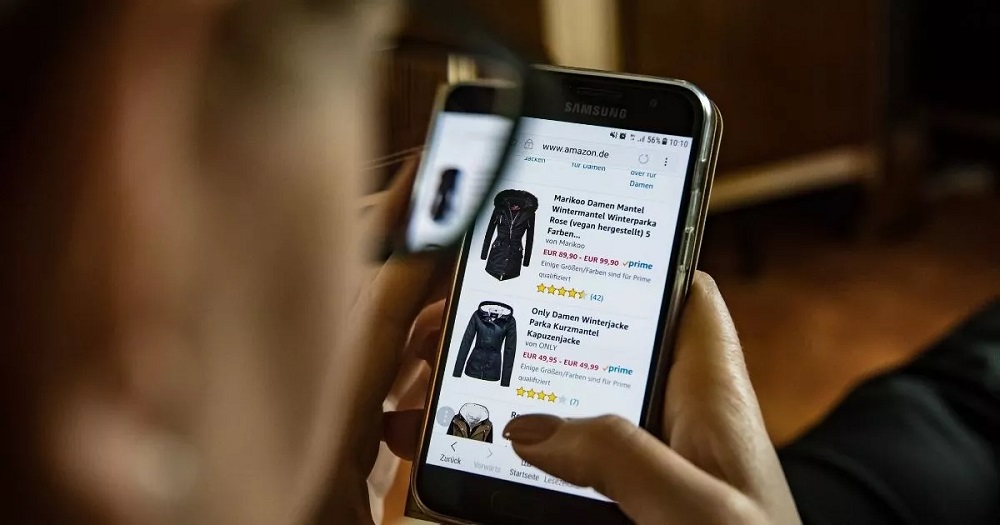
The convenience of digital commerce has completely transformed how the world shops. With a few clicks or taps, consumers can purchase groceries, clothing, electronics, and household goods from virtually anywhere on earth, delivering them directly to their front door. This retail revolution offers unmatched efficiency, but it also opens up a digital landscape filled with sophisticated threats.
As digital marketplaces expand, so do the methods employed by cybercriminals, identity thieves, and fraudulent actors. Shoppers no longer just need to compare prices and check shipping times; they must also navigate online spaces with a clear understanding of digital security. Protecting your hard-earned capital and personal information requires a proactive approach. Implementing structured security habits allows consumers to enjoy the vast benefits of online retail without falling victim to digital fraud.
Building a Secure Digital Foundation
Long before entering payment information on a checkout page, a safe shopping experience begins with the security of the device and network being used. A vulnerable device acts as an open door for malicious actors, regardless of how secure a specific retail website claims to be.
The first critical layer of protection involves network security. Public wireless networks, such as those found in local coffee shops, airports, hotel lobbies, and public plazas, are inherently insecure. Hackers can easily intercept data transmitted over these open networks, capturing passwords, credit card numbers, and personal details via packet-sniffing techniques.
To establish a truly secure digital foundation, shoppers should adhere to several operational protocols:
-
Shop on Private Networks Only: Restrict all financial transactions to a trusted home network or a secure cellular data connection.
-
Deploy a Virtual Private Network: If utilizing a public connection is absolutely unavoidable, route all data traffic through an encrypted Virtual Private Network (VPN) to shield the connection from local interceptors.
-
Keep Software Updated: Regularly update device operating systems, web browsers, and antivirus software to ensure the latest security patches are firmly in place against known vulnerabilities.
By reinforcing the security of your immediate digital environment, you create a robust perimeter that keeps unauthorized eyes away from your private data.
Verifying E-Commerce Platform Legitimacy
The internet is filled with thousands of legitimate retailers, but it also plays host to countless fraudulent clone websites designed to look identical to major corporate brands. These malicious copycats exist solely to steal credit card data and harvest credentials.
The most basic visual validation step is checking for the padlock icon in the browser address bar and ensuring the web address begins with HTTPS rather than standard HTTP. The S stands for secure, indicating that the data traveling between your device and the retail server is fully encrypted. However, modern scammers can also acquire basic encryption certificates, meaning an HTTPS prefix is merely a baseline requirement, not a definitive stamp of authenticity.
Shoppers must carefully inspect the actual domain name text. Scammers often utilize typosquatting, registering domain names that feature tiny misspellings of famous brands, such as replacing a lowercase letter L with the number one. Furthermore, if an online store features amateur website layouts, poor grammar, broken internal links, and a complete absence of legitimate customer contact options or physical corporate addresses, it should be abandoned immediately.
Implementing Safe Payment Methodology
When it comes to executing the actual financial transaction, the choice of payment method plays a massive role in mitigating potential damage if a breach occurs. Not all digital payment methods offer equal legal and structural protections.
Using a conventional debit card for online shopping is one of the riskiest financial habits a consumer can practice. Debit cards link directly to your primary checking account. If a hacker intercepts those numbers, they can drain your actual cash reserves instantly, leaving you struggle to pay rent, mortgages, and basic utilities while the bank conducts a lengthy fraud investigation.
Credit cards offer a vastly superior safety net. Under federal law, consumer liability for unauthorized credit card charges is strictly capped, and major credit card networks offer comprehensive zero-liability fraud protections. When a credit card is compromised, you are disputing institutional funds, not your immediate liquid cash.
For maximum security, consumers should leverage modern tokenization systems:
-
Digital Wallets: Utilizing services like Apple Pay, Google Wallet, or PayPal replaces raw card numbers with unique, single-use encrypted tokens during the checkout process, ensuring the merchant never actually sees or stores your true financial digits.
-
Virtual Credit Cards: Many premium credit card issuers allow cardholders to generate temporary, virtual card numbers tied to their main account. These can be set to expire after a single purchase or locked to a specific online vendor.
Defending Accounts with Credential Hygiene
A highly common vulnerability vector does not involve sophisticated malware, but rather the poor password habits of everyday users. When a major online platform suffers a data breach, hackers compile massive databases of leaked usernames, emails, and passwords, selling them on illicit forums.
Cybercriminals then utilize automated software to perform credential stuffing attacks, systematically testing those leaked combinations across hundreds of other e-commerce sites. If you use the exact same password for your online banking, your email account, and a minor online clothing boutique, a breach at the boutique instantly exposes your entire digital life.
Robust credential hygiene demands that every single online retail account possesses a unique, highly complex password consisting of a lengthy mix of letters, numbers, and symbols. Using an encrypted password manager makes this task effortless. Crucially, shoppers must enable Multi-Factor Authentication (MFA) on every platform that offers it. Requiring a secondary verification step, such as an authenticator app code or a biometric scan, ensures that even if a hacker cracks your password, they still cannot gain entry to your account.
Recognizing Social Engineering and Phishing Traps
Safe online shopping also requires maintaining sharp psychological awareness. Scammers frequently use social engineering tactics to manipulate consumer behavior, using false urgency and panic to override common security senses.
Phishing campaigns routinely disguised as legitimate retail notices flood email inboxes and SMS messaging networks, a practice known as smishing. These deceptive messages often claim that a major delivery package is stuck in transit due to an incorrect address, or that a suspicious, high-value purchase was just made on your account, prompting you to click a link to resolve the issue.
Clicking these links routes the user to a counterfeit login portal designed to harvest account credentials or download covert spyware onto the host device. Legitimate corporate retailers will never contact you out of the blue demanding passwords, social security numbers, or sensitive financial verifications. If you receive a alarming notification regarding an order, delete the message, open a clean browser tab, navigate directly to the official retailer website, and log into your dashboard securely to check your true order status.
Tracking Transactions and Post-Purchase Vigilance
The security process does not conclude simply because a confirmation email arrived in your inbox. Post-purchase monitoring is the final line of defense required to catch fraudulent activity early before it scales out of hand.
Consumers should configure real-time transaction alerts on their financial accounts. When these alerts are active, your smartphone receives an immediate notification the exact second a charge is placed on your credit card. If you spot a charge that you did not explicitly authorize, you can contact your financial institution within minutes to lock the card and initiate a dispute.
Additionally, shoppers should maintain a clean digital log of all transaction receipts, tracking numbers, and order confirmations. When checking monthly bank statements, cross-reference the line-item charges against your personal records to ensure no hidden subscription fees, unexplained processing surcharges, or unauthorized minor recurring costs have slipped onto your account unnoticed.
Frequently Asked Questions
What should I do first if I realize I just entered my credit card info on a scam website?
The absolute first step is to call your credit card issuer immediately using the official phone number listed on the back of your physical card. Inform the fraud department that your card details have been compromised. They will instantly freeze the account, cancel the compromised card number, and issue a brand-new card with unique digits to protect your financial perimeter.
Are browser extensions that automatically hunt for coupon codes safe to use?
While many popular coupon extensions are legitimate tools for saving money, they require extensive tracking permissions to read page content. Some malicious or poorly coded extensions can track your browsing history or become vulnerable to data leaks. Only install verified extensions with millions of positive reviews, and always disable them when entering highly sensitive financial checkout environments.
How does shopping via a dedicated retail mobile app compare to shopping on a web browser?
Shopping through official retail applications downloaded directly from the official Apple App Store or Google Play Store is generally highly secure. Mobile apps operate within sandboxed digital environments, making them less susceptible to the browser-based tracking scripts, malicious pop-up redirects, and typosquatting domain clones that target traditional web browsers.
Why do some online stores ask to save my payment details for next time, and is it safe?
Retailers encourage saving payment details to reduce transactional friction and encourage future impulsive buying habits. While reputable corporations store this data using robust tokenization methods rather than raw text, saving your data still creates exposure if the company suffers a major database breach. It is always safest to opt-out and manually input your information or use a digital wallet for each unique purchase.
Can a scammer do anything dangerous with just my email address and phone number?
Yes, possessing your email and phone number allows scammers to launch highly targeted, convincing phishing and social engineering campaigns. They can attempt to bypass account security layers via SMS swap frauds, reset account passwords by guessing security questions, or match your details against leaked public databases to piece together a full identity profile for fraudulent use.
What is the purpose of the card verification value number on the back of a credit card?
The Card Verification Value (CVV) serves as visual proof that the individual executing the online purchase physically possesses the plastic card. E-commerce security regulations strictly prohibit merchants from ever storing CVV data in their databases. Therefore, even if a retailer suffers a massive server hack, the stolen databases will lack the CVV codes, rendering the stolen card numbers useless for many online checkouts.